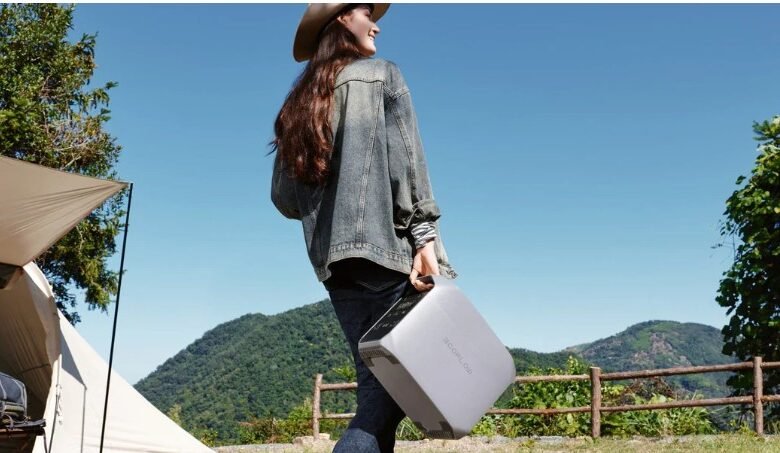
Outdoor shoots fail for boring reasons: batteries, cables, and time. When your drone packs are empty and your camera batteries are blinking, you either drive to town or start improvising.
A quiet campsite power setup is about staying invisible. You want enough energy to keep flying, filming, and backing up footage—without engine noise, fumes, or a bright “base camp” vibe.
This guide focuses on practical planning: what to power, how to estimate energy, how to recharge efficiently, and how to keep the whole system calm and safe.
Map your real power needs before you pack
Start with what you actually charge on a typical trip, not what you might use. Most people overpack power because they don’t separate “capture essentials” from “comfort electronics.”
Write down your charging gear at home and note the wattage on each charger. If the label is unclear, look for volts and amps, then multiply them.
A solar generator plan works best when it’s built around your highest-frequency charging sessions, not your biggest fantasy load.
Build a simple priority list you can follow on location
If you only do one thing from this article, do this. It turns power into a decision, not a scramble.
- Must-have charging: drone batteries, camera batteries, phone, headlamp.
- Workflow charging: laptop, SSDs, card reader, hotspot/router.
- Nice-to-have: speakers, extra lights, tablets, fans.
Once you’ve ranked your gear, your solar generator setup starts to feel obvious.
Translate “hours of use” into “hours of charging”
For drones, count full battery charges you expect per day. For cameras, count how many batteries you go through. For laptops, estimate how many hours you’re actually editing versus just dumping cards.
If you can cut one unnecessary device from the list, you often cut an entire category of charging complexity from your solar generator routine.
Get the battery math right without turning it into homework
Most frustration comes from mixing up watts (power) and watt-hours (energy). Power is how fast you draw; energy is how much you have stored.
A solar generator is basically an energy tank plus outlets. Your job is to match the tank to the work.
Use watt-hours as your common unit
Watt-hours (Wh) are the clean way to compare batteries, power stations, and your daily needs. If a device averages 40W and runs for 3 hours, that’s about 120Wh.
Charging is rarely 100% efficient. Heat, conversion, and charger behavior all waste some energy. In the field, add a buffer.
A solar generator plan that looks perfect on paper can fail in real life if you don’t budget for losses.
Know when AC charging costs you extra
Many camera and drone chargers are AC “bricks.” Running them from a battery system often means converting DC to AC, then back to DC again. That double conversion can waste energy.
When possible, prefer direct DC or USB-C charging for phones, tablets, and some camera bodies. Save AC outlets for the chargers that truly need them.
If your solar generator has multiple output types, you can reserve the “expensive” AC energy for the moments it matters most.
Choose quiet power that matches a creator workflow
For many campsites, “quiet” is a rule, not a preference. Engines can be unwelcome, and some locations restrict generator use by hours, zones, or noise expectations.
Battery-based power avoids those issues and fits how creators actually work: charge during downtime, shoot during the best light, then back up and recharge at night.
A solar generator typically means a portable power station that can be recharged from solar panels, then used to run your chargers and small electronics.
That’s why a solar generator setup often replaces both the “run the engine” mindset and the “carry ten spares” mindset.
Put your quiet base at the center of your cable layout
Set up one charging point and keep it boring. Keep chargers, adapters, and spare cables in a single pouch. Use short cables where possible to reduce tangles and accidental unplugging.
If you do nothing else, label your chargers. In the dark, it’s easy to confuse similar bricks and waste an hour charging the wrong thing from your solar generator.
When you want a single hub for camera batteries, drone packs, storage, and a laptop, a solar generator makes the workflow predictable without changing how you shoot.
Build a repeatable charging schedule
Creators often fail by charging “whenever.” That usually turns into charging “too late,” when you’re tired, cold, and out of options.
A better approach is a schedule you can repeat across trips, even when conditions change.
Use a harvest-and-spend rhythm
Think of daylight as your opportunity to refill, and evening as your opportunity to recharge packs.
- Morning: top up your solar generator while you eat and prep gear.
- Midday: keep it in “maintenance mode” while you shoot and travel.
- Evening: run the high-watt chargers when you’re already off the trail.
This rhythm reduces panic charging and keeps your solar generator ready for surprises.
Batch the high-draw chargers
Drone charging can spike at the start of a session, especially with multi-battery hubs. Batch those sessions instead of letting them run randomly.
After the drone packs are done, switch to low-power charging: phones, audio gear, headlamps, and camera bodies. That mix tends to be easier on a solar generator and easier to manage around camp.
If you edit on a laptop, consider dumping footage first, then charging the laptop last. Storage is often the true bottleneck, not screen time.
Make solar input work when campsites are imperfect
Solar is reliable, but campsites are messy. Trees, cliffs, weather, and moving schedules can reduce what you harvest. The right mindset is “capture what you can, when you can.”
A solar generator doesn’t magically create energy. It just makes it easier to store and use energy when it’s available.
Start by choosing your panel placement based on sun, not convenience. A few feet can be the difference between “charging” and “pretending.”
Avoid partial shade when you can. Even small shadows can cut output more than you expect. If you’re working near trees, plan on repositioning once or twice.
Keep your solar generator and charging gear out of direct heat. Electronics and batteries protect themselves by reducing charge rates when they get too hot. Shade the power station, ventilate it, and keep connectors clean.
If the forecast is cloudy, treat solar as a bonus and keep your energy budget conservative. Shoot lighter, fly fewer packs, or shorten editing sessions.
A solar generator setup is strongest when it’s paired with realistic expectations about sunlight.
Safety and reliability in the field
Quiet power still deserves respect. Lithium batteries, chargers, and cables can fail in ways that ruin a trip—or worse. A safe setup is usually a tidy setup.
Most airlines and regulators treat spare lithium-ion batteries differently than devices with batteries installed. Rules vary by carrier and region, but carrying spares in the cabin with protected terminals is a common requirement.
Even if you never fly, the habit is useful: protect contacts, avoid loose metal, and keep packs organized.
A practical campsite checklist
Use this as a quick “no drama” routine before you sleep.
- Keep batteries and chargers on a stable, nonflammable surface.
- Don’t charge inside a sealed hot car or in direct sun on rock.
- Protect battery terminals from keys, coins, and loose cables.
- Stop using any pack that swells, leaks, or smells unusual.
- Keep the solar generator dry, ventilated, and away from sand.
- Separate charging zones: drone packs on one side, everything else on the other.
A solar generator won’t prevent mistakes, but it can make your system simpler—fewer fuel variables, fewer “just run it longer” decisions, and fewer noisy compromises.
When your power setup becomes routine, your creativity becomes freer. Quiet power is not a luxury for camera and drone trips; it’s what keeps you shooting when conditions get real.