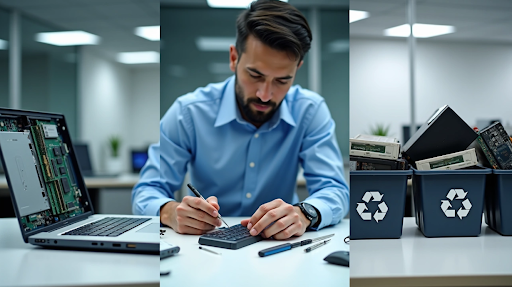
E-waste recycling and pickup has become increasingly critical as 14 million tons of electronic waste are generated globally each year. This staggering volume represents one of the fastest-growing waste streams in the world, now accounting for approximately 70% of all toxic waste.
When improperly managed, electronic devices release harmful chemicals into air, water, and soil. Additionally, most organizations replace their computers and laptops every three to five years, creating a continuous cycle of potential waste. However, this rapid turnover presents an opportunity for strategic decision-making about technology assets.
The benefits of proper disposal extend beyond environmental protection. In fact, recycling one million laptops saves energy equivalent to powering 3,657 U.S. homes for a year. Moreover, these devices contain valuable materials — one ton of circuit boards can hold 40 to 800 times more gold than gold ore. Consequently, organizations must develop systematic approaches to evaluate whether technology should be refurbished, repaired, or recycled.
With this in mind, the following decision framework offers a practical guide for managing end-of-lifecycle IT equipment. By implementing a structured approach to technology disposition, businesses can reduce environmental impact, mitigate data security risks, ensure regulatory compliance, and contribute to the future of sustainable computing.
Step 1: Is the Device Still Functional? Consider Refurbishing
Determining whether a device is still functional represents the first critical decision point in managing end-of-lifecycle electronics. Before rushing to dispose of older technology, organizations should evaluate if simple refurbishment could extend useful lifespan, reducing both procurement costs and environmental impact.
Check for outdated software or slow performance
Sluggish performance often signals a device that needs attention rather than replacement. Devices accumulate temporary files, unnecessary applications, and background processes over time that significantly reduce performance. Before assuming hardware obsolescence, consider these straightforward remedies:
- Clear cache and temporary storage files
- Remove unnecessary applications and programs
- Update operating systems and software to current versions
- Perform factory reset if other methods don’t resolve issues
Slow startup times, frequent crashes, and unresponsive applications typically indicate a device struggling with resource limitations rather than permanent failure. These symptoms often respond well to basic maintenance and strategic upgrades rather than wholesale replacement.
Upgrade memory, storage, or OS if possible
One of the most effective ways to breathe new life into aging systems is through targeted hardware upgrades. Adding memory (RAM) often results in immediate performance improvements for devices struggling with multitasking or running modern applications. Before purchasing additional memory, confirm compatibility by checking:
- The type of memory used by your computer
- Maximum memory capacity supported by your device
- Available memory slot configuration
- Operating system memory limitations
For Windows 11 systems, the minimum memory requirement stands at 4 GB, while maximum support ranges from 128 GB for Windows 11 Home to 6 TB for Enterprise editions. Similarly, storage upgrades—particularly switching from traditional hard disks (HDD) to solid-state drives (SSD)—can dramatically improve performance while expanding capacity.
Operating system upgrades require careful consideration. While newer OS versions offer improved security and features, they may exceed hardware capabilities on older machines. Note that 32-bit operating systems can only recognize approximately 3.3 GB of RAM regardless of physical installation.
When internal redeployment makes sense
Through strategic internal redeployment, organizations can maximize value from legacy equipment while reducing procurement costs. This approach works particularly well when:
- Devices are outdated for high-performance departments but suitable for less demanding roles
- Mergers or acquisitions have created equipment surpluses
- Lightly used devices still maintain strong performance potential
- IT refresh cycles create cascading upgrade opportunities
The internal redeployment process typically involves inspection, cleaning, functional testing, and thorough data sanitization. This systematic approach ensures devices meet appropriate standards for their new purpose while protecting sensitive information.
Benefits of refurbishing for business electronics recycling
Refurbishment delivers substantial economic advantages alongside environmental benefits. By restoring equipment to functional condition, organizations can:
- Generate revenue by reselling refurbished assets in secondary markets
- Recoup significant portions of initial technology investments
- Reduce procurement costs through extended device lifecycles
- Minimize electronic waste and associated disposal expenses
Professional refurbishers subject devices to rigorous testing and quality control checks, ensuring products meet high performance standards. The refurbishment journey typically includes thorough inspection, component repair or replacement, comprehensive testing, and meticulous cleaning.
From a sustainability perspective, refurbishing electronics reduces electronic waste, conserves natural resources, and lowers carbon footprints associated with manufacturing new devices. A properly managed refurbishment program aligns perfectly with corporate social responsibility goals while delivering tangible economic benefits.
For maximum value recovery, partner with reputable refurbishment specialists who offer comprehensive data erasure services, quality certifications, and transparent reporting processes.
Step 2: Is It Broken but Fixable? Consider Repairing
After determining a device is no longer functioning optimally, the next crucial decision point focuses on repairability. Industry analysis shows that repair remains a viable yet often overlooked strategy in managing electronic assets. Unlike simple refurbishment, repair addresses specific hardware or component failures, offering significant economic and environmental advantages for organizations committed to responsible technology management.
Evaluate repair cost vs. replacement value
The economics of repair versus replacement requires careful analysis. American households could save approximately $330 per year by repairing electronics instead of replacing them—a figure that translates to $40 billion in annual national savings. Nevertheless, a practical financial assessment remains essential.
Experts suggest implementing a simple formula: if repair costs exceed half the price of a new device, replacement might be more economical. Furthermore, consider the expected lifespan after repair compared to a new purchase. For instance, if spending 50% of a new device’s cost yields only 25% of its expected lifespan, replacement becomes the more sensible option.
Beyond direct costs, factor in these critical considerations:
- Operational downtime during repair versus replacement
- Productivity impacts of continued use of repaired equipment
- Security implications of maintaining older hardware
- Total cost of ownership including future maintenance needs
Common repairable issues in IT equipment
Many electronic failures stem from single components rather than systemic problems. IT professionals report that most repairs can be completed in under 30 minutes and cost a fraction of replacement. Understanding common fixable issues helps organizations make informed decisions about repair viability.
Hardware problems frequently suitable for repair include overheating due to dust accumulation, slow performance from resource constraints, unresponsive USB ports, intermittent Wi-Fi connectivity, erratic touchpad behavior, excessive fan noise, and certain hard drive failures. Memory (RAM) issues also respond well to component replacement, often extending device lifespans significantly without full system replacement.
Essentially, when a malfunction results from identifiable components rather than comprehensive system failure, repair typically represents the optimal approach both financially and environmentally.
When to use professional electronics repair services
Despite the appeal of in-house repairs, professional electronics repair services offer distinct advantages, especially for organizations lacking specialized technical expertise. Professional technicians undergo rigorous training, possess specialized diagnostic tools, and can implement precise solutions safely and effectively.
Organizations should consider professional repair services under these circumstances:
- When dealing with high-value or mission-critical equipment
- For repairs requiring specialized tools or micro soldering expertise
- When data recovery is needed alongside hardware repair
- If repairs involve complex component-level issues beyond basic troubleshooting
According to industry surveys, approximately 40% of PC owners seeking repair services primarily complained about slow system performance—an issue often fixable through professional intervention. Additionally, component-level repair services can effectively extend the service life of discontinued products that might otherwise require costly replacements.
How repair supports office IT recycling goals
Repair represents a critical element in comprehensive electronic waste management strategies. By extending device lifespans through strategic repairs, organizations directly support circular economy principles and meaningfully reduce their carbon footprints.
From an environmental perspective, choosing repair over replacement delivers substantial benefits. Each repaired device prevents premature disposal, conserves the resources required for manufacturing new equipment, and reduces the extraction demand for rare earth minerals and precious metals used in electronics manufacturing.
Local repair businesses provide an additional advantage by creating community-based jobs while decreasing transportation emissions associated with replacement. Industry experts note that “for every repair needed, there is a local business willing and able to fulfill it in a timely manner”.
Ultimately, consumer awareness is driving repair-oriented decisions. A recent study found 62% of Americans reported that information about expected device lifespan would significantly influence their purchasing decisions—highlighting how repair considerations increasingly factor into responsible technology management strategies.
Step 3: Is It Obsolete or Insecure? Time to Recycle
Once repair and refurbishment are no longer viable options, organizations must determine when electronic devices have reached end-of-life status. Industry analysis reveals that approximately 500 million computers become obsolete annually between 1997-2007, contributing nearly 1.6 billion pounds of lead to the environment when improperly handled.
Signs a device is beyond repair or support
Recognizing when technology has reached end-of-life status helps organizations make timely recycling decisions. Several indicators signal when recycling becomes the most appropriate choice:
- Operating system no longer receives security updates
- Hardware components unavailable or cost-prohibitive
- Performance issues persist after upgrades and repairs
- Device cannot run current software versions
- Battery life degraded beyond functional use
For businesses, maintaining outdated equipment creates significant operational challenges. Fundamentally, end-of-support hardware lacks critical security patches, leaving systems vulnerable to emerging threats.
Risks of keeping outdated electronics
Retaining obsolete technology introduces substantial risks that extend beyond mere inconvenience. According to IT research, businesses using outdated systems face six times higher malware infection rates. This heightened vulnerability exists because older operating systems no longer receive security patches.
Beyond cybersecurity concerns, outdated hardware generates substantial hidden costs. Studies indicate that IT downtime costs businesses an average of $5,600 per minute, while maintenance expenses for obsolete systems often exceed their original purchase price.
Importantly, obsolete electronics stored in office environments create physical data security risks. Even unplugged devices contain recoverable sensitive information that could be accessed if devices fall into unauthorized hands.
Benefits of e-waste recycling and pickup
E-waste recycling delivers multiple tangible benefits across environmental, economic, and security dimensions. Recycling one million laptops saves energy equivalent to electricity used by over 3,500 U.S. homes annually. Additionally, each million recycled cell phones recovers 35,000 pounds of copper, 772 pounds of silver, 75 pounds of gold, and 33 pounds of palladium.
The economic advantages prove equally compelling. E-waste recycling creates skilled jobs throughout the recycling ecosystem, from logistics to materials recovery. Furthermore, recovered materials re-enter supply chains instead of being lost in landfills, reducing dependence on virgin mining operations.
How computer and laptop recycling reduces liability
Proper electronic waste disposal significantly mitigates organizational liability. E-waste contains hazardous materials including lead, mercury, and cadmium that create environmental liabilities when improperly discarded. Organizations remain responsible for the downstream impacts of improper disposal, potentially facing substantial fines and penalties.
Data security represents another critical liability concern. Cybercriminals actively target discarded electronics, using inexpensive software to recover deleted files. Professional recycling services implement secure data destruction methods including physical shredding or degaussing, providing documented proof of data elimination through verifiable certificates.
Step 4: Choosing the Right E-Waste Recycling Partner
Selecting a qualified e-waste recycling partner represents a critical business decision with far-reaching implications for data security, environmental compliance, and corporate liability. Recent studies reveal that over 3,200 data breaches in 2023 affected more than 350 million individuals, marking a 78% increase from the previous year.
Why secure e-waste disposal matters
Improper data management during recycling exposes organizations to substantial risks. Even non-working devices contain sensitive information that could trigger costly data breaches if mishandled. Beyond reputational damage, organizations face significant financial penalties for improper disposal. In 2015, Comcast agreed to a $25.95 million settlement for unlawful e-waste disposal practices that included improper data destruction.
What to look for in electronics recycling services
When evaluating potential recycling partners, organizations should prioritize:
- Experience and expertise: Assess the provider’s technical expertise in handling sensitive data and securely disposing of electronic devices
- Certifications: Confirm necessary certifications related to secure data handling and responsible recycling
- Transparency: Demand clear tracking and documentation throughout the recycling process
- Customizable services: Partner with providers offering solutions tailored to specific organizational needs
Understanding certifications like R2v3
The R2 (Responsible Recycling) certification represents the leading standard for electronics repair and recycling globally, with over 1,000 certified facilities across 40 countries. R2v3, the current version, incorporates lessons learned from more than a decade of implementation.
This certification mandates specific requirements for:
- Environmental health and safety management systems
- Worker protection protocols
- Material recovery planning
- Downstream due diligence throughout the recycling stream
Importance of documentation and traceability
Proper documentation serves as a protective shield against regulatory penalties and reputational damage. Comprehensive documentation should include:
- Asset lists detailing each recycled device with serial numbers
- Bills of lading showing chain of custody
- Certificates of Destruction proving data elimination
- Certificates of Recycling confirming environmentally responsible processing
This documentation trail creates accountability throughout the recycling chain while providing the evidence needed for environmental certifications, ESG reporting, and zero-waste initiatives increasingly important to stakeholders.
Step 5: Building a Long-Term Device Management Plan
Establishing a comprehensive device management strategy serves as the cornerstone of sustainable technology practices. Industry analysts emphasize that effective e-waste management cannot exist as isolated initiatives but must become embedded in organizational culture.
Set a business computer recycling schedule
Scheduling regular e-waste collection prevents equipment accumulation while maintaining operational efficiency. Smaller organizations typically benefit from quarterly pickups, whereas enterprises with frequent technology refreshes should consider monthly collections. Creating designated collection points in high-traffic areas such as break rooms and IT departments encourages consistent participation throughout the organization.
Include recycling in IT asset lifecycle planning
Effective lifecycle management necessitates addressing devices “from acquire to retire”. By integrating end-of-life considerations into procurement decisions, organizations can:
- Evaluate potential refurbishment opportunities
- Minimize environmental impact through strategic purchasing
- Partner with vendors offering take-back programs
- Set reduction targets alongside recycling goals
This approach yields both environmental advantages and significant financial benefits by recovering value from retired assets.
Track and audit old electronics disposal
Comprehensive documentation throughout the disposal process provides critical protection against regulatory penalties. Organizations should maintain detailed records including:
Serialized asset tracking for each device Certificates of destruction following proper data sanitization Chain of custody documentation throughout the recycling stream
This audit-ready approach not only addresses compliance requirements but fundamentally transforms e-waste from liability into strategic opportunity.
Conclusion
The rapid pace of technological change makes thoughtful device management more important than ever. By carefully weighing whether equipment should be refurbished, repaired, or recycled, organizations can reduce costs, lower environmental impact, and manage data security risks more effectively. When electronic assets reach the end of their useful life, responsible recycling ensures that valuable materials are recovered and harmful waste is kept out of the environment. Taken together, these decisions help build a more sustainable and resilient approach to modern technology management.