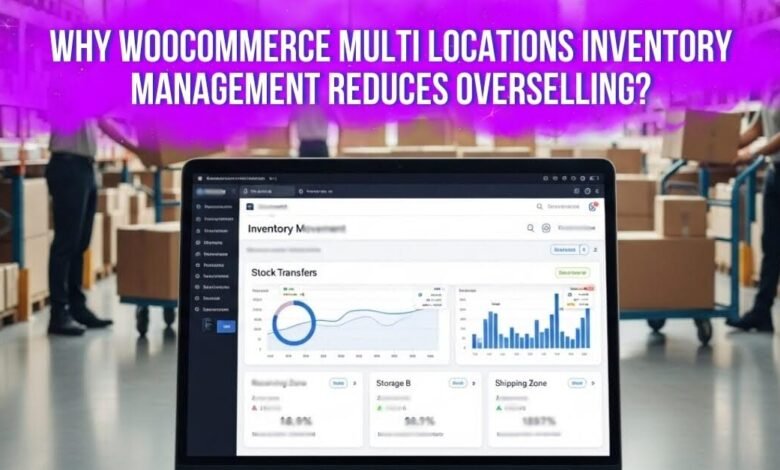
WooCommerce multi locations inventory management reduces overselling because it improves stock accuracy and visibility across warehouses. When inventory is organized by location, stores can see real stock levels, reduce manual errors, react faster to low stock, and plan inventory better, preventing sales of unavailable products.
Keep reading to learn details on why WooCommerce Multi Locations Inventory Management reduces overselling. The full guide covers useful plugins, common mistakes, and simple fixes. By the end, you will better understand how to protect your store from stock problems.
Why Overselling Happens in WooCommerce Stores?
Overselling in WooCommerce happens when customers buy items no longer available in real inventory. The store may still show products as in stock even after they sell. This gap appears when the displayed quantity does not match the actual stock kept in warehouses or stores.
One common reason is delayed stock updates after orders. WooCommerce reduces inventory when order status changes, but updates may not happen instantly. During busy times, orders may arrive faster than the system refreshes. This delay can allow the same unit to be sold twice.
Several technical and system issues also create stock mismatches across stores and channels. These problems usually appear when settings or systems do not work together properly. Common causes include:
- Disabled or incorrect stock management settings
- Inventory mismatch across marketplaces or POS systems
- Plugin conflicts that delay or block stock updates
Human mistakes and sudden traffic spikes also lead to overselling. Staff may edit the wrong quantity or forget stock adjustments after returns or transfers. At the same time, many buyers may try purchasing the same item during big sales, creating checkout conflicts before stock updates.
Why WooCommerce Multi Locations Inventory Management Reduces Overselling?
Overselling happens when stores sell items that are already out. This often occurs when stock numbers do not match real inventory. WooCommerce multi location inventory helps stores track stock more clearly. Read the points below to see how it reduces overselling.
Improving Inventory Accuracy Across Locations
Many stores show wrong stock numbers when inventory is not tracked carefully. Multi location inventory fixes this by tracking stock by warehouse or store. Each location keeps its own quantity record. Systems like WooCommerce multi locations inventory management help stores match online stock numbers with real inventory.
Providing Clear Stock Visibility For Store Owners
Store managers need clear views of inventory across warehouses. With location-based tracking, they can quickly check stock levels. It becomes easier to notice low inventory or out-of-stock items. Clear stock visibility helps stores avoid selling products that have already run out.
Reducing Confusion Between Multiple Warehouses
Products stored in several warehouses can cause confusion without location tracking. One branch may run out while another still has items. Location based inventory keeps stock records separated by place. This keeps warehouse data organized and prevents mixed inventory numbers.
Lowering Human Errors During Stock Updates
Many overselling problems start with manual inventory mistakes. Staff may update the wrong quantity or forget transfers between warehouses. Multi location systems provide clear stock lists and dashboards. These tools help teams manage inventory carefully and reduce stock update mistakes.
Helping Stores React Faster To Low Stock
Tracking inventory by location helps store owners detect shortages early. Managers can see which warehouse has low stock. They can restock products or transfer inventory from another location. Quick action prevents sales from continuing after the stock runs out.
Supporting Better Inventory Planning
Location based inventory also helps stores plan stock distribution. Managers can study which warehouses sell products faster. This information supports better restocking and transfer decisions. Balanced stock across locations reduces sudden shortages and keeps inventory stable.
Overselling usually starts when stores cannot see their real inventory. Multi location systems organize stock based on real warehouse locations. This structure improves stock accuracy and reduces manual inventory mistakes. As a result, WooCommerce stores keep inventory reliable and sales safer.
How WooCommerce Multi Locations Inventory Management Reduces Overselling?
WooCommerce multi locations inventory management reduces overselling by tracking stock separately for each warehouse or store, assigning orders to the correct location, and updating the stock quantity after every sale or stock movement. Instead of using one combined stock number, the system works with location-based inventory, which keeps the real stock situation clear and accurate.
Here is the mechanism step by step.
1. Stock is Divided by Location
In a normal WooCommerce setup, a product often has one total stock number. But in real stores, the same product may exist in several places such as warehouses, retail stores, or fulfillment centers.
Multi-location inventory solves this by creating separate stock records for each location. For example:
- Warehouse A: 10 units
- Warehouse B: 6 units
- Retail Store: 4 units
Now the system knows exactly where the stock is located. This prevents confusion where a product appears available even though the intended warehouse has already sold out.
2. The System Checks Location Stock Before Processing the Order
When a customer places an order, the inventory system checks which location has available stock. Instead of using a general stock number, the order is connected to a specific inventory source.
For example:
- A customer in a nearby city places an order
- The system checks Warehouse A and Warehouse B
- If Warehouse A has stock, the order is assigned there
Because the order uses the stock of a specific location, the system avoids selling items that are not actually available at that location.
3. The Order Reduces Stock From the Assigned Location
After the order is confirmed, the stock quantity decreases from the location that fulfills the order.
Example flow:
Customer order placed
→ Warehouse A is assigned for fulfillment
→ Warehouse A stock decreases by 1
This ensures the system always reflects the correct stock level for each warehouse or store.
4. Updated Stock Numbers are Reflected Across the Store
Once stock is reduced at the location level, the available quantity shown in the store changes automatically. Customers will see the updated stock level, which reduces the chance of multiple buyers purchasing the same product when only a few units remain.
This continuous update helps keep the store’s inventory accurate.
5. Centralized Stock Control Reduces Manual Mistakes
Multi-location inventory tools also provide a central dashboard where store owners can view stock across all warehouses. Instead of checking each location separately, managers can monitor all stock levels from one place.
This reduces common human errors such as:
- updating the wrong quantity
- forgetting to reduce stock after transfers
- mixing up warehouse inventory
Fewer manual mistakes mean fewer cases where customers buy products that are not really available.
6. It Helps with Stock Transfer Between Locations
Multi-location inventory systems also support stock transfers between warehouses. If one warehouse runs low, inventory can be moved from another location and recorded in the system.
Example:
Warehouse A runs low
→ Stock transferred from Warehouse B
→ Inventory numbers update automatically
This keeps stock levels balanced and prevents situations where a warehouse receives orders without enough stock.
7. Inventory Visibility Improves Decision Making
When store owners can clearly see how much stock exists at each location, they can plan better. They can move inventory, restock products earlier, or adjust fulfillment rules.
Better visibility helps prevent situations where a store continues selling products that are already unavailable.
Real Examples of Overselling in Multi Location WooCommerce Stores
Overselling in multi location WooCommerce stores usually happens when the stock shown in the system does not match the real stock available at the location handling the order. This can happen in several ways. Here are some simple examples you can include in your article.
1. Two Customers Buy the Last Item at the Same Time
A store has only 1 unit of a product left in Warehouse A. Two customers visit the product page at almost the same moment. Both see the item as available and both complete checkout before the stock is fully updated in WooCommerce.
As a result, the store receives 2 orders for 1 item. One customer gets the product, but the other order must be delayed, canceled, or refunded.
This is a common overselling case during flash sales, promotions, or when demand is high.
2. Stock is Shared Across Two Warehouses But Updated Late
A WooCommerce store sells a product stored in Warehouse A and Warehouse B. The total stock is shown as 10 units. During the day, several units are sold from Warehouse A, but the inventory update does not happen immediately in the system.
Because of the delay, the website still shows more stock than actually remains. Customers continue placing orders based on the old number. By the time the stock finally updates, the store has already sold more units than it really had.
In this case, late stock sync between warehouses causes overselling.
3. Manual Stock Updates by Staff Cause Wrong Quantities
A staff member checks stock in Warehouse B and sees that there are 12 units left. While updating the inventory in WooCommerce, they accidentally entered 21 units instead of 12.
The website now shows much more stock than the store actually has. Customers keep buying the product, believing it is available. Later, the team finds out the real quantity is much lower, and some orders cannot be fulfilled.
This example shows how a simple human mistake can lead to overselling in a multi location setup.
4. Refunds Return Stock to the Wrong Location
A customer buys a product that was shipped from Warehouse A. Later, the customer returns it, but the refund process adds the stock back to Warehouse B by mistake.
Now the system shows:
- Warehouse A: still missing 1 unit
- Warehouse B: 1 extra unit added by mistake
If another order comes in and the system tries to fulfill it from Warehouse A, it may look like Warehouse A has less stock than expected. At the same time, Warehouse B may appear to have stock that is not physically there.
This kind of wrong stock return can create confusion and lead to overselling or failed fulfillment.
Benefits of Managing Stock With WooCommerce Multi Locations Inventory
Managing stock across many warehouses can get messy fast. WooCommerce multi locations inventory helps stores stay organized, move products better, and avoid delays. It gives owners a clearer view of stock in every place and helps daily work run more smoothly.
- Better Stock Control: Store owners can manage inventory from one place, making it easier to check quantities, review stock levels, and keep products organized across all locations.
- Faster Order Fulfillment: Orders can ship from the nearest warehouse, which helps reduce delivery time, cut delays, and make the full order process smoother for buyers.
- Lower Stock Shortages: Managers can spot low stock early in each warehouse, so they can restock faster or move products before items become unavailable.
- Balanced Inventory Levels: Extra products in one location can be moved to another, helping stores avoid waste, reduce shortages, and keep stock spread more evenly.
- Clear Demand Insights: Sales data by location shows where products sell faster, helping owners place stock in the right warehouse based on real demand.
- Improved Team Efficiency: Staff spends less time checking stock by hand because the system tracks inventory, updates quantities, and makes daily stock work easier.
- Better Customer Experience: Accurate stock and faster shipping help avoid delays, canceled orders, and backorders, which makes shopping feel smoother and more reliable.
These benefits make WooCommerce multi locations inventory useful for growing stores. It helps control stock, save time, and improve order handling. When inventory stays clear and updated, stores can work better each day.
Best Plugins For Managing WooCommerce Multi Location Inventory for Reducing Overselling
Managing stock across multiple warehouses needs the right tools. Some plugins help track inventory by location and keep stock accurate. These tools also help reduce overselling and improve order handling. The table below lists useful plugins for WooCommerce multi location inventory.
| Plugin | Free / Paid | Starting Price | Best For | Main Strength |
| Multi Location Product & Inventory Management for WooCommerce | Free + Paid | 79 USD/year | Multi-warehouse stores | Separate stock per location with warehouse transfers |
| Zoho Inventory | Free (Limited) + Paid | 29 USD/month | Multi-channel selling | Cloud-based stock sync and order management |
| WP Inventory Manager | Free + Paid | 49.99 USD | Simple non-eCommerce inventory | Lightweight inventory listing system |
| Smart Manager for WooCommerce | Free (Limited) + Paid | 200 USD/year | Large product catalogs | Fast bulk editing with spreadsheet view |
| ATUM Inventory Management for WooCommerce | Free + Paid | $216 USD/year |
Reporting-focused stores | Central dashboard with reports and supplier tools |
Multi Location Product & Inventory Management for WooCommerce: It helps reduce overselling by keeping separate stock records for each warehouse and updating transfers more clearly.
Zoho Inventory: It helps reduce overselling by syncing stock across sales channels, so one sale updates inventory in other connected places.
WP Inventory Manager: It helps reduce overselling by giving a simple stock list that makes manual inventory tracking easier and more accurate.
Smart Manager for WooCommerce: It helps reduce overselling by making bulk stock edits faster, which lowers the chance of outdated product quantities.
ATUM Inventory Management for WooCommerce: It helps reduce overselling by giving clear stock reports and dashboards that help stores spot inventory issues earlier.
Choosing the right plugin depends on store size and inventory needs. Some tools focus on multi warehouse control, while others help with reporting or bulk edits. Using a reliable inventory plugin helps stores keep stock accurate and avoid overselling problems.
Common Mistakes to Avoid While Reducing Overselling for Multi Location Inventory
Multi location inventory can reduce overselling when stores manage it well. Small setup mistakes can still create wrong stock numbers fast. These problems often come from settings, updates, or weak checks. Read below to see each mistake and the right fix.
1. Not Enabling Proper Stock Management Settings
Mistake: Some stores leave stock management turned off in WooCommerce or on products. When that happens, the stock does not drop after a sale. Customers may keep buying items that are already sold. This creates wrong stock numbers and raises the risk of overselling very quickly.
Fix: Turn on stock management in WooCommerce settings first. Then enable manage stock for each product as well. This helps the system reduce stock after orders are placed. When both settings stay active, product quantities remain more accurate, and customers see better stock information.
2. Using One Shared Stock Number For All Locations
Mistake: A shared stock number creates confusion when products sit in many places. One warehouse may be empty while another still has units left. The store may still show the product as available without checking the right source. That can lead to orders from a location with no stock.
Fix: Track stock separately for every warehouse or store location. Separate inventory records help the system understand where items actually exist. When stock is organized by location, the store can avoid accepting orders from places that have already run out.
3. Forgetting To Update Stock After Transfers
Mistake: Stores often move products from one warehouse to another. Trouble starts when the staff forgets to record that transfer in the system. Stock may appear in the wrong place or get counted twice. This creates mismatched inventory numbers and can lead to fulfillment and stock problems.
Fix: Record every inventory transfer as soon as it happens. Fast updates help the system show the correct stock at both locations. Many inventory tools also offer transfer logs or automatic updates. That makes it easier to keep stock records correct after items move.
4. Allowing Backorders Without Proper Control
Mistake: Backorders let customers buy products that are already out of stock. This setting can be useful in some cases, but it also adds risk. If backorders stay enabled by mistake, the store may keep taking orders for products that are no longer available.
Fix: Check backorder settings for each product carefully. Turn them off for products that must always stay in stock. Only allow them when delayed shipping is acceptable. Careful backorder control helps stores avoid taking orders they cannot fulfill on time.
5. Poor Inventory Sync Across Sales Channels
Mistake: Many stores sell through marketplaces, POS systems, and extra websites. Problems start when the stock does not update across all these channels. A product may sell on one platform while another still shows it as available. This is a common reason the same unit gets sold twice.
Fix: Use inventory sync tools to keep stock numbers matched across every sales channel. When one item sells, the update should appear everywhere quickly. This keeps product availability accurate and helps prevent customers from buying stock that another channel has already sold.
6. Ignoring Low Stock Alerts
Mistake: WooCommerce can warn stores when stock becomes low, but some owners ignore those alerts. Others set the warning level too low to be useful. That means they notice shortages too late. By then, customers may already be placing orders for items that are nearly sold out.
Fix: Turn on low stock notifications and choose a realistic alert level. The warning should come early enough to allow restocking. When stores act on alerts quickly, they can refill products before stock runs out and avoid last minute inventory problems.
7. Manual Stock Updates Without Verification
Mistake: Manual stock edits can create simple but costly errors. Staff may enter the wrong quantity, choose the wrong product, or miss updates after returns. Damaged items may also be forgotten. These mistakes slowly build incorrect stock numbers and make overselling more likely.
Fix: Create a simple stock update process for the team. Ask staff to check every change before saving it. It also helps to keep logs of stock edits and adjustments. Clear checks make manual inventory handling safer and more accurate over time.
8. Not Preparing For High Demand Sales Periods
Mistake: Busy sales periods bring many shoppers to the same product at once. If the store is not ready, the system may allow too many orders before stock updates. This often happens during promotions or seasonal sales when demand rises very fast.
Fix: Before a large sale, test checkout and inventory updates carefully. Review stock levels and make sure products have the correct quantities. It also helps to check how the store handles many buyers at once. Good preparation lowers the risk during heavy traffic.
Overselling often starts with small mistakes that stores can prevent. Better settings and careful updates keep stock numbers more reliable. Clear checks also help stores handle busy sales periods better. With the right steps, inventory stays accurate across all locations.
FAQs About Why WooCommerce Multi Locations Inventory Management Reduces Overselling?
Many store owners still have questions about managing stock across multiple locations in WooCommerce. Understanding how location based inventory works can help reduce confusion and improve stock control. The questions below explain common concerns in simple terms and help you understand why this system helps prevent overselling.
Can WooCommerce Prevent Overselling By Default?
WooCommerce can reduce overselling if stock management is enabled. The system decreases stock when orders are placed and processed. However, the default WooCommerce works best for stores with one inventory location. When products are stored in several warehouses, extra tools are often needed to keep stock accurate.
What Causes Stock Mismatch In WooCommerce Multi Location Stores?
Stock mismatch happens when the inventory shown online does not match real warehouse stock. This can occur due to delayed updates, manual errors, or incorrect settings. If stock numbers are not updated quickly after orders or transfers, the system may show wrong quantities. That mismatch often leads to overselling.
Do I Need A Plugin For WooCommerce Multi Location Inventory Management?
WooCommerce does not include advanced multi location inventory tools by default. Most stores use plugins to manage stock across several warehouses or stores. These tools allow inventory tracking by location and improve stock visibility. Using the right plugin helps stores maintain accurate stock levels and reduce overselling risk.
Can Multi Location Inventory Help With Warehouse Stock Transfers?
Multi location inventory systems usually include features for transferring stock between warehouses. Store owners can move products from one location to another and record the change in the system. This keeps inventory numbers balanced across all locations. Proper transfer records help prevent confusion about where stock is actually stored.
How Does WooCommerce Multi Locations Inventory Management Help Track Stock In Different Warehouses?
WooCommerce multi locations inventory management helps you track stock separately for each warehouse or store. Instead of one shared number, every location keeps its own stock quantity. This makes it easier for you to see where products are actually stored. Clear tracking helps your store avoid selling items that are already out of stock.
Conclusion
Running a WooCommerce store becomes harder when inventory sits in many places. When stock is not tracked clearly, overselling quickly appears and causes delays, refunds, and unhappy buyers. Location based inventory solves this by organizing stock per warehouse and showing real availability. That is the simple answer to why WooCommerce multi locations inventory management reduces overselling.
To keep inventory accurate, always enable stock management and review settings regularly. Track stock by location, update transfers quickly, and monitor low stock alerts. Test your store during busy sales periods so orders match real inventory. With careful management, your store can avoid overselling and run smoothly. Best wishes for your growing WooCommerce store.