A typical creative task can begin innocently. You open one tool to make an image, another to edit it, a third to animate it, then a notes document to remember the prompt. Soon the browser has twelve tabs open, three versions of the same file are sitting in Downloads, and nobody remembers which result was approved.
The problem is not that specialized tools are bad. The problem is unnecessary movement between them. Every handoff creates another place to lose context, use the wrong file, or repeat a decision. Platforms such as Banana Pro AI point toward a different approach by bringing image creation, editing, video generation, and connected visual workflows into one environment. For many creators and small teams, the useful question is no longer “How many AI tools can I add?” It is “How few steps do I need to get from an idea to something I can actually use?”
Count Handoffs, Not Just Subscriptions
People often measure tool sprawl by the number of services they pay for. That misses an important part of the problem. Even free tools can create friction when work constantly moves between them.
Imagine making a short social video. You generate a source image in one place, download it, upload it somewhere else to change the background, download the new version, open another service for motion, and finally send the file to a colleague for review. None of those actions is difficult. Together, they create a chain of small interruptions.
Count the handoffs. How many times do you download, upload, rename, copy a prompt, search for a previous version, or explain what changed? A workflow with fewer handoffs is usually easier to repeat and easier to teach to someone else.
Run a Five-Minute Workflow Audit
You do not need a productivity consultant or a complicated diagram. Take one task you perform regularly and trace what happens from start to finish.
- Mark Every Place the File Changes Hands
Write down each point where an image or video leaves one tool and enters another. Include manual downloads and uploads, shared folders, chat attachments, and local copies.
This reveals hidden duplication. If the same image is downloaded three times during one small task, ask whether those steps are necessary. Sometimes they are. A specialist tool may perform one job much better. But if the handoff exists only because the previous tool cannot continue the process, it is a candidate for simplification.
- Mark Every Place You Re-enter Context
Next, notice where you have to explain the project again. Perhaps you paste the original prompt into another tool, re-upload the reference image, or remind a collaborator which version is current.
Context switching is not only about attention. It can change the creative result. A new tool may not know which elements were meant to stay fixed or why the previous edit was made.
Write a short note beside each handoff: “What does this next step need to know?” If the answer is a long paragraph, the workflow is carrying too much context manually.
- Mark Every Approval Point
Finally, identify where a human decision is actually needed. Do not confuse “another tool opened” with “another decision made.”
A useful approval point might be choosing the best composition before animation or confirming that a product still looks accurate after editing. Those checks should remain visible. By contrast, saving a file locally before uploading it into the next tool is not a meaningful approval step.
The goal is to remove administrative movement without removing judgment.
Combine Steps Only When They Belong Together
A smaller workflow does not mean one tool must do everything. Consolidation helps when the steps share the same creative context.
Image generation, image editing, and image-to-video work often belong close together because each stage depends on the asset created in the stage before it. If those operations can remain connected, the creator spends less time rebuilding context.
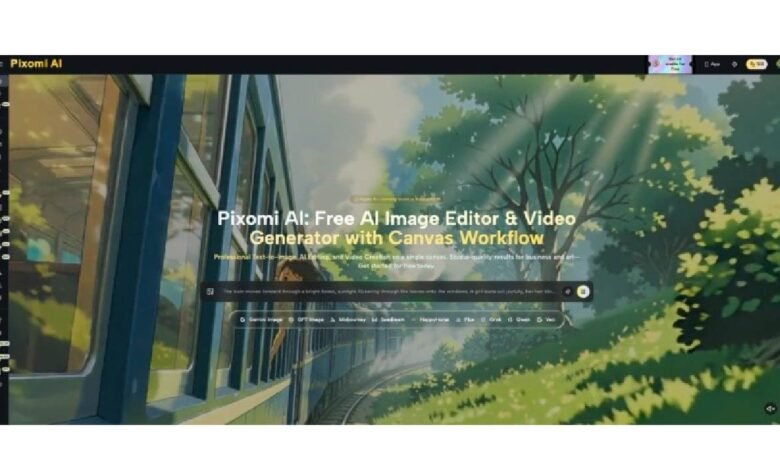
This is where Banana Pro AI is relevant. Its visual Canvas Workflow is designed around connected image and video stages, allowing outputs from one step to feed into another. For a creator, the practical benefit is not “more AI.” It is the ability to keep related work in one visible flow.
Other tasks may still deserve separate tools. Copy editing, analytics, accounting, or final publishing have different purposes. Consolidate where the work shares an asset and a decision trail, not simply because integration sounds efficient.
Use Naming Rules Before You Need Them
Even a compact workflow becomes confusing if every result is called “final,” “final2,” or “final-real.”
Choose a simple naming pattern. It might include the project, stage, and version: spring-campaign_image_v03 or podcast-cover_motion-test_v02. The exact syntax does not matter. Consistency does.
For a solo creator, this makes it easier to return to a project after a week. For a team, it prevents someone from animating an outdated image or publishing a draft that had already been rejected.
Also decide what deserves saving. Keep the source reference, the approved still, the chosen motion result, and any prompt or instruction that would be difficult to reconstruct. You probably do not need every failed variation.
Good file discipline sounds boring until a project has twenty similar assets. Then it becomes part of creative speed.
Separate Exploration From Production
One reason creative folders become chaotic is that experimentation and production happen in the same space. During exploration, it is normal to test strange ideas, alternate styles, and rough directions. During production, the team needs a smaller set of approved assets.
Create a clear transition between the two.
For example, explore three visual directions for a campaign. Once one is approved, stop using the rejected directions as inputs. Move forward only with the selected image or prompt. If you need to branch again, do it for a specific reason such as testing two motion styles.
This boundary makes feedback clearer. A collaborator should not have to inspect ten experiments to understand which direction is active. The current production path should be obvious.
Do Not Optimize Away the Human Check
A connected workflow can make it tempting to send one generated result automatically into the next stage. That is useful for low-risk experimentation, but important projects need review.
Check identity when people are involved. Check product shape and labels when the visual represents something for sale. Check text inside images. Check whether the background introduces objects or meanings you did not intend. Before video generation, make sure the still frame is worth animating.
These checks are not workflow failure. They are quality control.
The best compact system removes repeated administrative steps while keeping the moments where judgment matters. In other words, fewer clicks should not mean fewer decisions.
Conclusion
Creative tool sprawl rarely arrives as one big problem. It grows through tiny handoffs: another upload, another download, another copied prompt, another version with an unclear filename. Over time, those steps make simple projects harder to follow than they need to be.
Audit one repeated task and count where files move, where context is re-entered, and where real approval happens. Keep specialist tools when they add clear value, but connect related image, editing, and video stages when possible. Then use consistent names and a visible boundary between exploration and production.
You do not need the biggest creative stack. You need a workflow you can understand at a glance. Pick one messy recurring task this week and remove one unnecessary handoff from it.