Sales teams need speed and accuracy. They must send quotes fast and avoid errors. They also need clear pricing and smooth billing.
When systems are slow, sales drop. When data is wrong, customers lose trust. Salesforce Revenue Cloud helps solve these problems.
It connects sales, pricing, contracts, and billing in one platform. This helps teams work better and close deals faster. Keep reading to learn more.
Simplify the Quote-To-Cash Process
Sales reps often waste time on manual work. They switch between tools and re-enter data. This causes delays and errors.
Salesforce Revenue Cloud puts quoting, contracts, and billing in one system. Automation handles product details and pricing rules. Approvals move through built-in workflows.
Managers get alerts and can respond fast and this reduces waiting time and llowers the risk of mistakes. With fewer steps, reps focus on customers, they spend more time building relationships. Deals move faster from quote to payment and this improves the overall sales cycle and increases efficiency.
Strengthen Pricing Control and Accuracy
Pricing must be correct every time. Wrong numbers reduce profit and trust. Salesforce Revenue Cloud uses rule-based pricing.
All quotes follow company policies and standards. The system supports bundles and subscriptions. Totals are calculated automatically.
Reps do not need to guess prices or use manual spreadsheets. Discounts can require approval, which protects margins. Some companies work with Salesforce Agentforce Revenue Management consultants to design strong pricing and revenue processes.
This ensures the platform matches business goals. Clear pricing improves margins and builds customer confidence. It also helps sales teams close deals without confusion.
Improve Sales Visibility and Forecasting
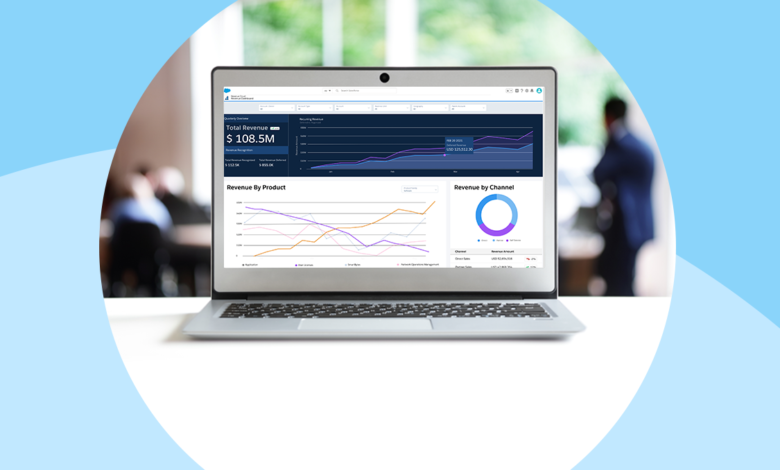
Leaders need real-time data to make good decisions. They must see pipeline value and deal stages clearly. Salesforce Revenue Cloud provides dashboards with simple and clear insights.
Reports are easy to create and review. Managers can track results by rep, product, or region. This helps them spot risks early and support the team when needed.
Forecasts are based on real quotes and contract data. Better visibility supports smarter planning.
Teams understand their targets and progress. This alignment keeps everyone focused. Clear forecasting also helps with budgeting and resource planning.
Enhance Team Collaboration
Sales teams work closely with finance and legal departments. If communication is slow, deals slow down. Salesforce Revenue Cloud stores all deal data in one shared system.
Contracts and billing details are easy to access. Teams can review and approve documents inside the platform. This reduces long email chains and repeated questions.
Updates are visible to everyone involved. Faster collaboration leads to faster approvals. Customers receive quicker responses and better service and this creates a smooth buying experience and builds trust.
Automate Billing and Revenue Management
Manual billing takes time and effort. It can also cause costly errors. Salesforce Revenue Cloud supports automated invoicing from approved contracts.
The system manages renewals and subscriptions with ease. Automated reminders help prevent missed renewals. This protects recurring revenue and supports long-term growth.
Payment tracking is simple and organized. Automation reduces workload for finance teams, it also improves cash flow and reporting accuracy. When billing runs smoothly, sales teams can focus on closing new opportunities.
Learn More Boost Sales Efficiency
Sales efficiency depends on clear processes and accurate data. Salesforce Revenue Cloud brings sales, pricing, and billing together. It reduces manual work and improves visibility.
It also supports teamwork and automation. With the right setup, companies can close deals faster and increase revenue with confidence.
Visit our blog for more!